Controls Guide for Jump To Steal Phonks
Keyboard, mouse, and mobile inputs for jumping, stealing Lucky Blocks, shopping, and Index checks.
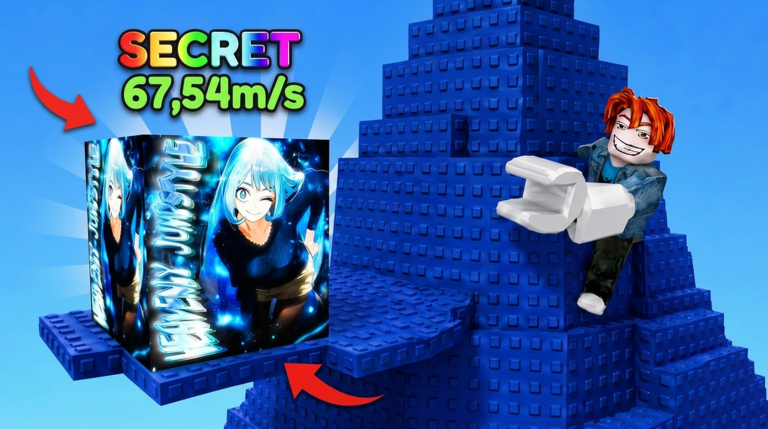
Clean inputs win more Lucky Blocks than raw jump power alone. Jump To Steal Phonks looks simple—bounce, steal, open, train—but mistimed proximity prompts, accidental shop opens, and mobile jump lag cause more empty trips than bad RNG. This controls guide maps every everyday input you need on PC and touch so you can focus on routes instead of fighting the HUD.
If you are brand new, pair this page with Getting Started for the first-hour loop. Steal timing lives in How to Steal Phonks. Height planning lives in Trampoline Training.
Movement on keyboard and controller
On PC, WASD or the arrow keys move your avatar. Hold a direction while you approach the trampoline so your bounce already has forward momentum toward the pad you want. Strafing with A/D on a platform edge lets you stay out of a guard lane without jumping off. Avoid spinning the camera wildly while carrying a Lucky Block; small mouse adjustments keep your return line readable.
Controller players should map stick movement the same way: commit to a heading before you bounce, then use light stick corrections mid-air. Hard stick flicks on thin Mythical pads are a common fall cause. Prefer short nudges after you see the landing silhouette.
Sprint or walk speed is usually enough for Common and Rare floors. On Epic and above, plan your path so you do not need last-second dashes through a cop. Movement skill in this game is less about fancy tech and more about never stopping in a prompt while a patrol faces you.
Jump input and trampoline feel
Space (or the controller jump button) is your primary jump. On the lobby floor, a normal jump helps you hop onto the trampoline pad cleanly. On the trampoline itself, timing matters more than mashing. Land on the pad, let the bounce fire, and steer toward the target shelf while the upward force is still building. Mashing Space in panic rarely adds height beyond what your trampoline upgrade already grants.
After each trampoline purchase, do two or three empty bounces with Space only—no cargo—to feel the new apex. Then attempt a single-block steal. That habit is the bridge between this controls page and the milestone plan on Trampoline Training.
If you own a coil, equip it from your inventory or hotbar before a climb that needs a temporary height or recovery hop. Unequip when you return to safe farming so you do not burn coil habits on floors that no longer need them. Coils do not replace trampoline levels; they patch awkward landings and first visits to a new band.
Proximity prompts for Lucky Blocks
Lucky Blocks use Roblox proximity prompts. Walk close enough for the prompt to appear, then press the interact key (commonly E on keyboard, or the on-screen prompt button on mobile / the mapped controller interact). Stand fully on the platform before you confirm. Half-landed prompts fail and leave you exposed to guards.
After the prompt succeeds, stop sightseeing. Your control goal becomes a straight return: move toward base, minimal camera spin, no emote menu, no chat focus. Carrying is logistics. The detailed route and guard timing for that phase is covered in How to Steal Phonks.
If two prompts overlap because blocks sit close together, pick one deliberately. Spamming interact while turning can cancel the grab you wanted. On low floors you can chain; on high floors, one clean prompt beats two contested ones.
Shop UI and Robux caution
Open the shop from the HUD button when you intentionally want Lucky Block packs, coils, or paid trampoline bumps. Read labels before you confirm any Robux spend. Legendary packs are not Divine packs. Tiny jump snacks are usually worse value than cash trampoline upgrades.
Close the shop the moment you finish the purchase decision. Leaving shop UI open while you bounce is how players miss prompts or walk into cops. Treat the shop as a seated decision, not a mid-air glance. Freebies that are not codes—likes and group rewards—are listed on Codes; controls-wise you still claim them through Roblox page actions plus any in-experience gift panel.
Index UI
The Index tracks which Phonks you have discovered across Common through Secret / Exclusive. Open it between trips, not while a guard is mid-lane. Note gaps by rarity band, then close the Index before your next trampoline bounce so your camera and movement return to arena focus.
Use Index knowledge to decide whether today’s session is a cash farm or a scouting climb. Controls do not change between those modes, but your risk tolerance should. Filling stubborn high rows pairs well with the checklist mindset on Phonk Index Checklist once that tool page is in your rotation.
Mobile and touch differences
Touch jump timing feels softer than keyboard Space. Give yourself an extra half-beat on the trampoline before steering hard. Use the on-screen jump button with a thumb that stays ready; hunting the button after you already left the pad is a common mobile miss.
Proximity prompts on mobile appear as on-screen buttons. Plant your feet, tap once, and start the return path. Multi-finger camera spins while carrying are riskier on phones than on mouse. Prefer a locked-ish camera angle toward base after a successful steal.
If you switch from PC to mobile mid-day, spend two empty trampoline calibrations before contested Epic steals. Input latency and thumb precision change your safe band even when trampoline level did not.
Practical control checklist before a session
- Confirm move keys or stick feel responsive after join.
- Test one Space bounce on the trampoline without cargo.
- Practice one proximity prompt on a low Lucky Block.
- Open shop and Index once each, then close them.
- Equip coil only if today’s goal band needs it.
- Mute distracting chat overlays if they steal focus from prompts.
When those six checks pass, your hands are ready for the loop described in Getting Started. Bad sessions often start with skipped calibration and end with blame on RNG.
Common control mistakes
Mashing jump instead of steering. Height comes from upgrades; accuracy comes from calm air control.
Interacting while airborne on the pad lip. Wait for a full landing.
Opening Index mid-fight with a cop. Close menus before contested platforms.
Shopping while carrying. Deposit first; spend later.
Mobile camera thrash after a grab. Point toward base and walk.
Mastering controls will not invent Secret Phonks, but it stops you from donating clean Epic steals to the void. Combine solid inputs with trampoline milestones and steal routes, and the Index fills on a schedule you can trust.
Frequently Asked Questions
Quick answers for Jump To Steal Phonks players.
What keys move and jump in Jump To Steal Phonks on PC?
Use WASD or arrow keys to move and Space to jump. Steer during trampoline bounces with small mouse adjustments instead of spinning the camera.
How do I steal a Lucky Block?
Land fully on the platform, wait for the proximity prompt, press interact (often E on keyboard or the on-screen button on mobile), then return to base immediately.
Should I keep the shop or Index open while jumping?
No. Make purchase or Index decisions on the ground, close the UI, then bounce. Open menus during climbs cause missed prompts and falls.
Do mobile controls change the strategy?
The loop is the same, but touch jump timing and on-screen prompts need extra calibration. Practice empty trampoline bounces after switching from PC.
When should I equip a coil?
Equip a coil for first visits to a new height band or recovery hops. Unequip on safe farm floors so trampoline level remains your real ceiling.